


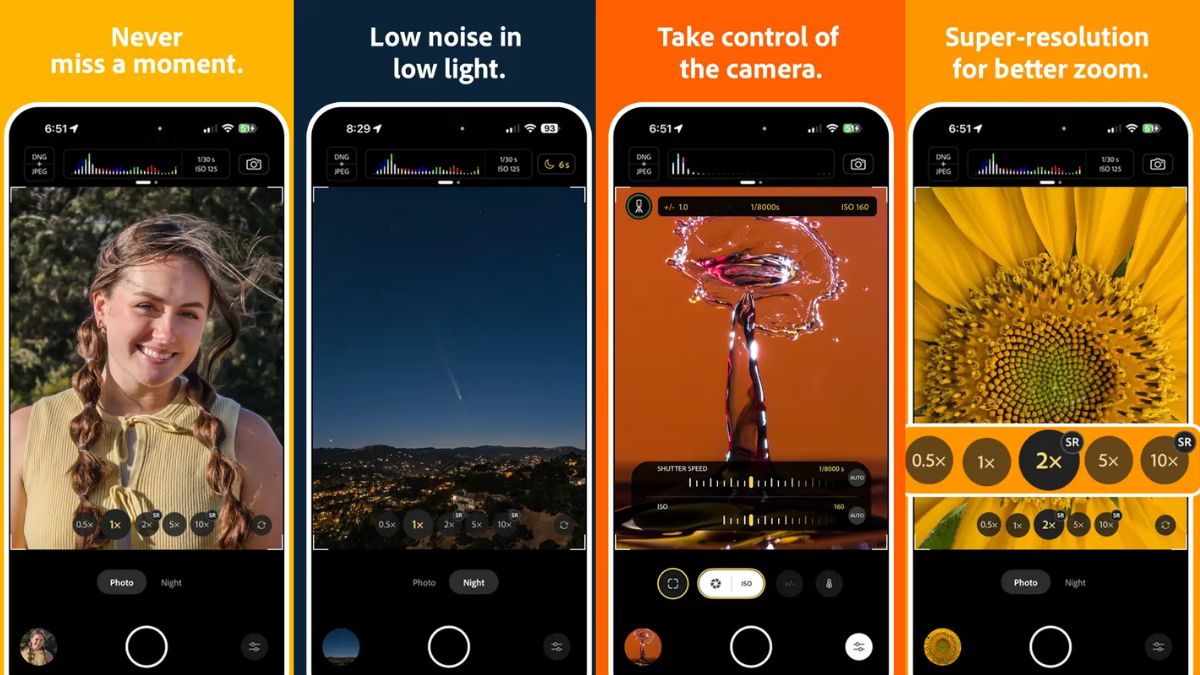
Adobe has launched yet another app for the iPhone, building upon its recent releases of Firefly and Photoshop on the App Store. The US-based company has introduced Project Indigo, a dedicated camera app developed by Adobe Labs which leverages computational photography to capture up to 32 frames and combine them into a single photo. It uses artificial intelligence (AI) to store images in both standard dynamic range (SDR) and high dynamic range (HDR). Adobe says Project Indigo is said to be compatible with the Camera Raw and Lightroom apps.
Adobe Project Indigo App for iPhone: Features
In a research article, Adobe detailed its new Project Indigo app. With Project Indigo, Adobe aims to tackle the issue of “smartphone look” — images which are overly bright, have low contrast, high colour saturation, high smoothing, and strongly sharpened details. While these appear fine on a small screen, seeing them on a bigger display can result in an “unrealistic look”, as per the company.
This is where Project Indigo comes in. It is available as a free-to-download experimental app on the App Store for iPhone. The app offers full manual controls, with tools like aperture, exposure time, ISO, focus, and white balance, with the latter also having separate control over temperature and tint.
Opening the app brings up two modes — Photo and Night — meant for daylight and night photography, respectively. The latter is said to use longer exposure to minimise noise and capture more frames with each press of the shutter. It also improves stabilisation and reduces hand-shake when capturing long-exposure images at night. Adobe says Project Indigo brings a more natural “SLR-like” look to images and in the highest possible quality.
The app is powered by computational photography and is claimed to under-expose images more strongly than most cameras. Further, it also captures, aligns, and combines up to 32 frames, resulting in photos with fewer blown-out highlights, less noise in shadows, and a better picture overall.
Employing the aforementioned methods means less spatial denoising is required, explains Adobe. It is claimed to preserve more natural textures, even if it means leaving a bit of noise in the image. The benefits of computational photography are applied to both JPEG and raw photos.
As per the company, Project Indigo also improves pinch-zoom on iPhone by employing multi-frame super resolution. It is claimed to restore image quality which is usually lost by digital scaling when the camera focuses on the centre part of the image while zooming in. The app captures multiple images of the same scene, combining them into a single image, known as a “super resolution photo”. Adobe says it features more details than what is present in a single image.
Project Indigo is compatible with Apple’s Pro models starting with iPhone 12 series. It is also available on iPhone 14 and later non-Pro models. At the moment, the app is completely free-to-use and does not require sign-in. Adobe says it will also introduce a similar app for Android devices in time.
